BARCHIVE UPDATES
Your timeline, in Flow or Grid.
Follow your plant’s progress with Flow, or see its photos together in Grid. Turn the records into a single image to save or share.
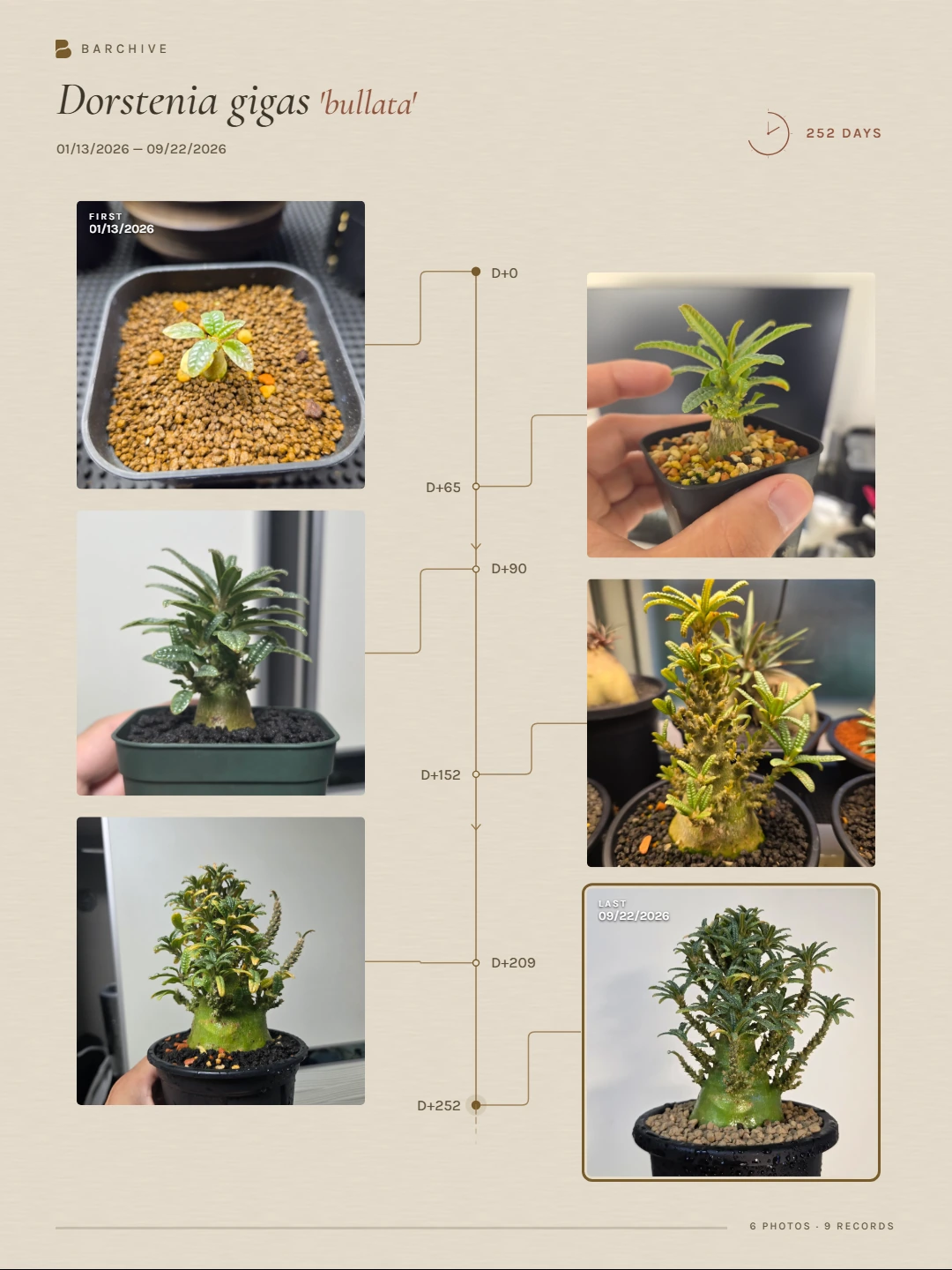
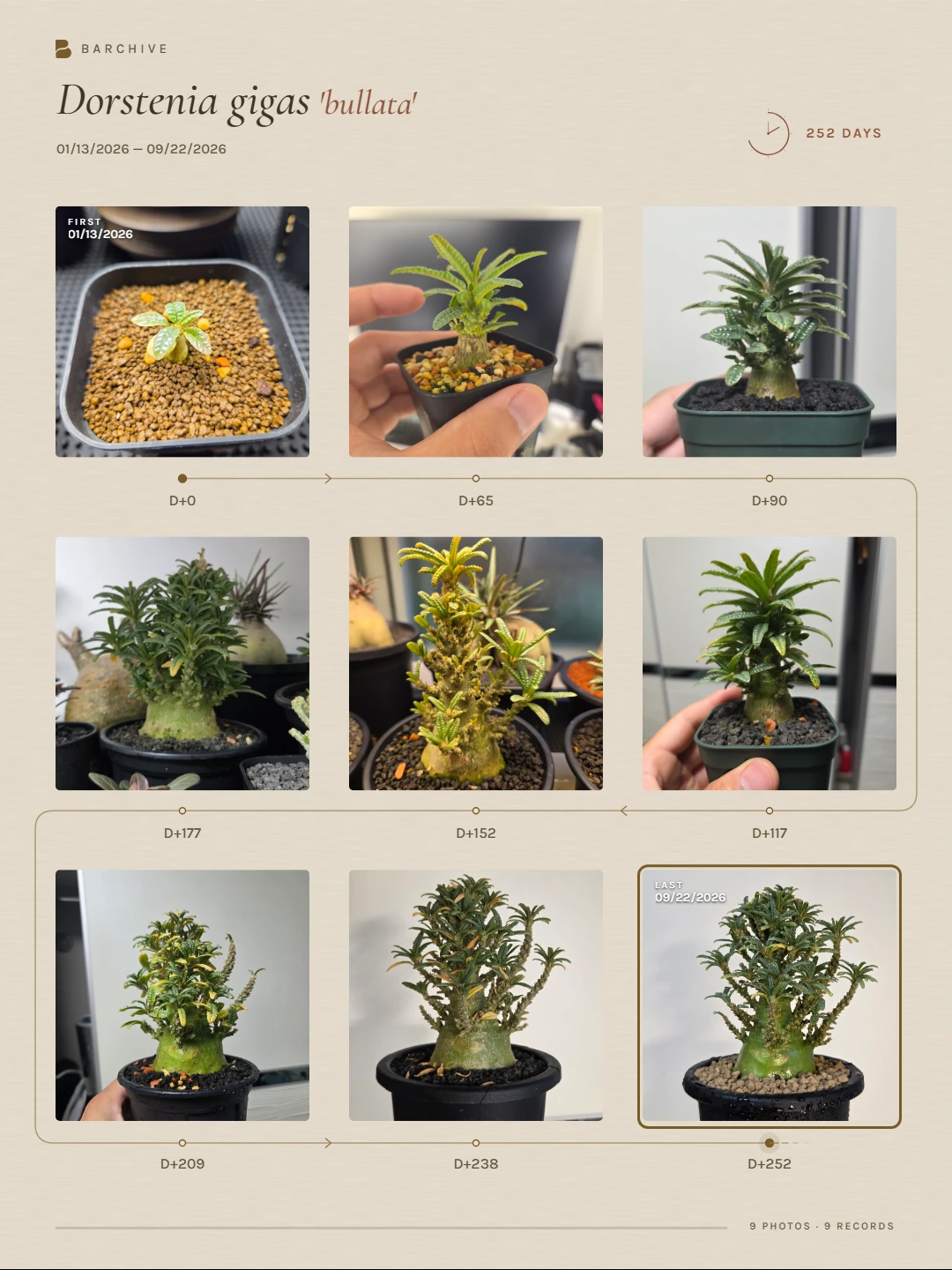
Choose Timeline from Share Card.
Open a plant, then Share Card → Timeline. Flow includes up to 6 photos; Grid includes up to 9, composed into one image.
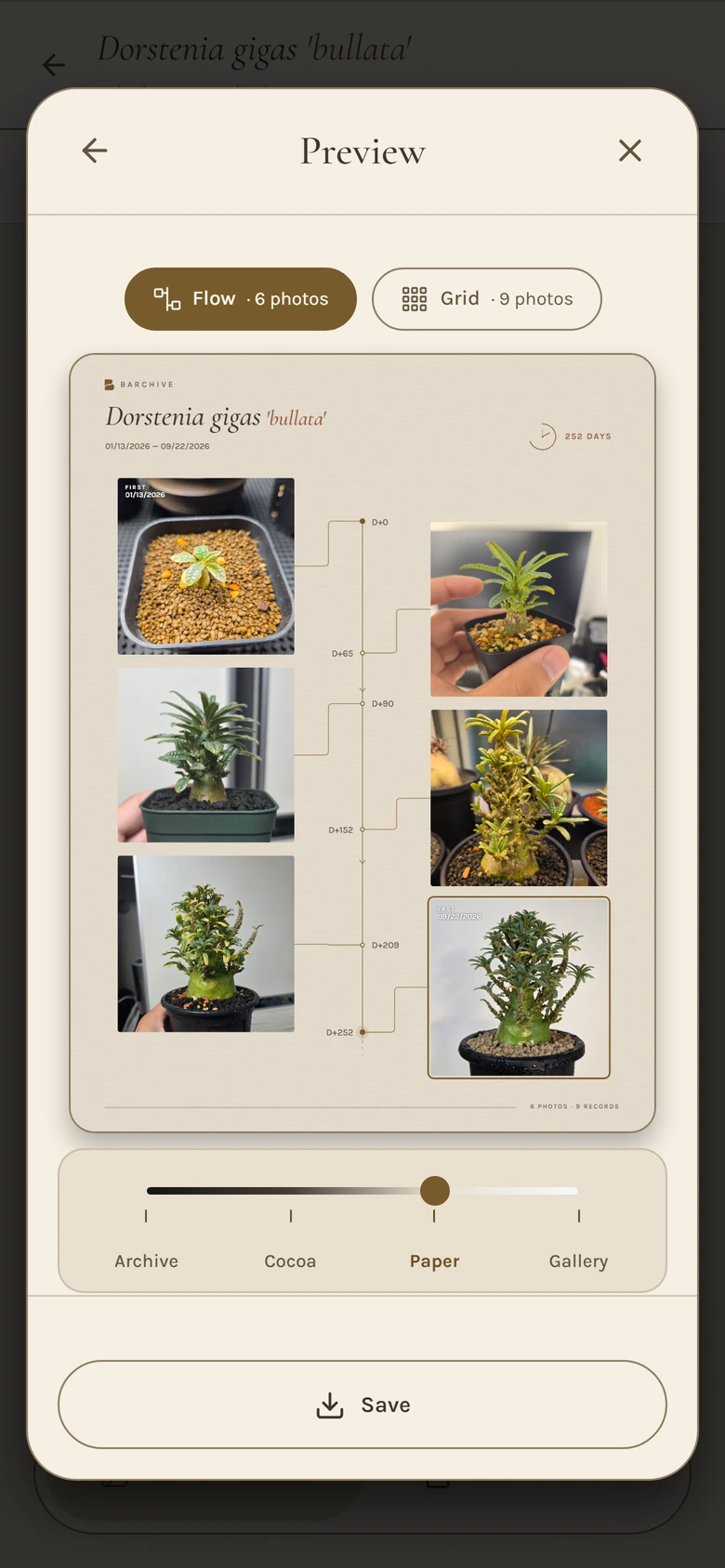
Dates and time between photos
The first and last photos show their dates. D+ marks the number of days since the first photo. Flow reflects the capture-date intervals, with extra room for nearby dates so labels stay readable.
Choose a theme, then save or share
Choose Archive, Cocoa, Paper or Gallery. Saving or sharing creates a separate image and leaves your photos and records unchanged.
Add up to 20 photos at once
Add up to 20 photos at once. Capture dates are filled in automatically when that information is present in the photo files.
The current design is available in the web app. Android connector refinements are included in version 1.0.28.
On Android, free users may need to watch an ad to save or share Before & After, Timeline and Care Sheet cards. PRO removes ads.