BARCHIVE FREE
Free plan
- No photo count limit within available device storage
- Photos, capture dates and notes
- Watering, fertilizer and potting mix
- All four share cards
- ZIP backup and restore
On iPhone, use Add to Home Screen in Safari. On a computer, use your browser’s install menu.
BARCHIVE · A PLANT PHOTO JOURNAL
From the day you brought it home to each new leaf.
Keep a photo journal of the time you share.
Photo journal · Plant care · Share cards
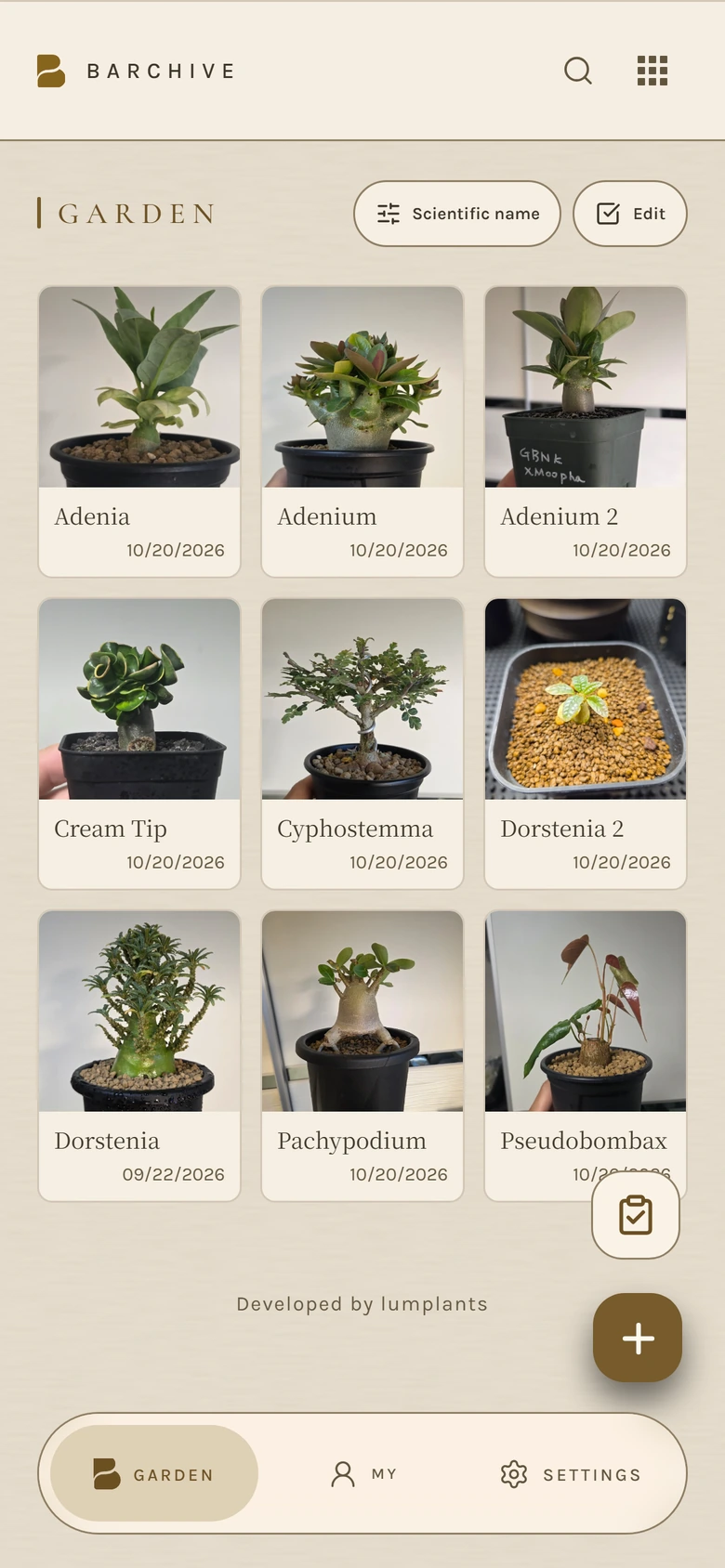
01A PERSONAL RECORD
Gather photos by plant and follow them in capture-date order. Add a note about a new leaf, a repotting day or a moment worth remembering.
Use scientific or familiar names, and give each plant its own card name.
Follow the whole story in Overview, or switch to large photos for a closer look.
Add up to 20 photos at once. Capture dates are filled in automatically when that information is present in the photo files.
02BEFORE & AFTER
Choose then and now, or any two moments you want to remember. Before & After brings the change—and the time between—into one image.
Dorstenia gigas ‘bullata’
252 DAYS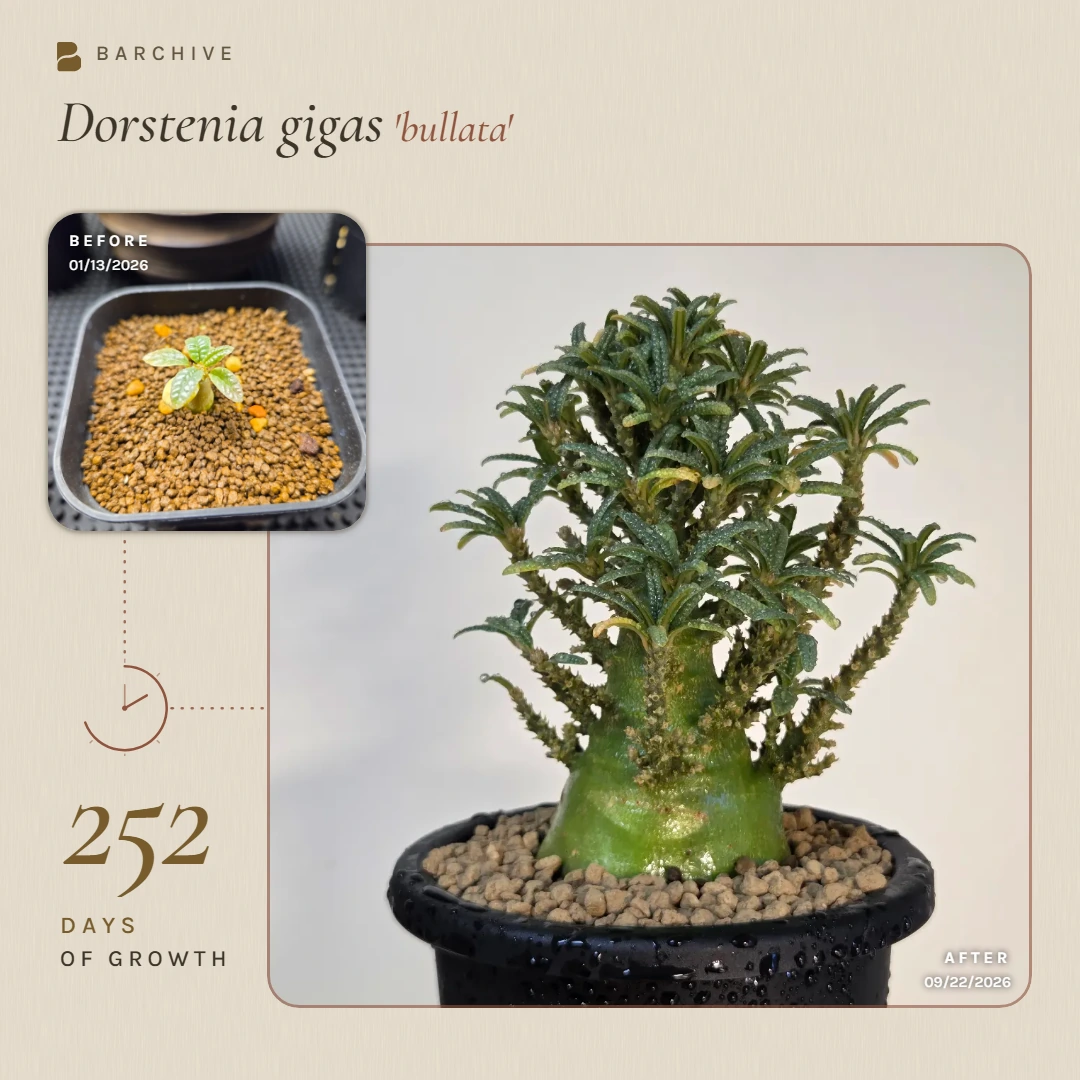
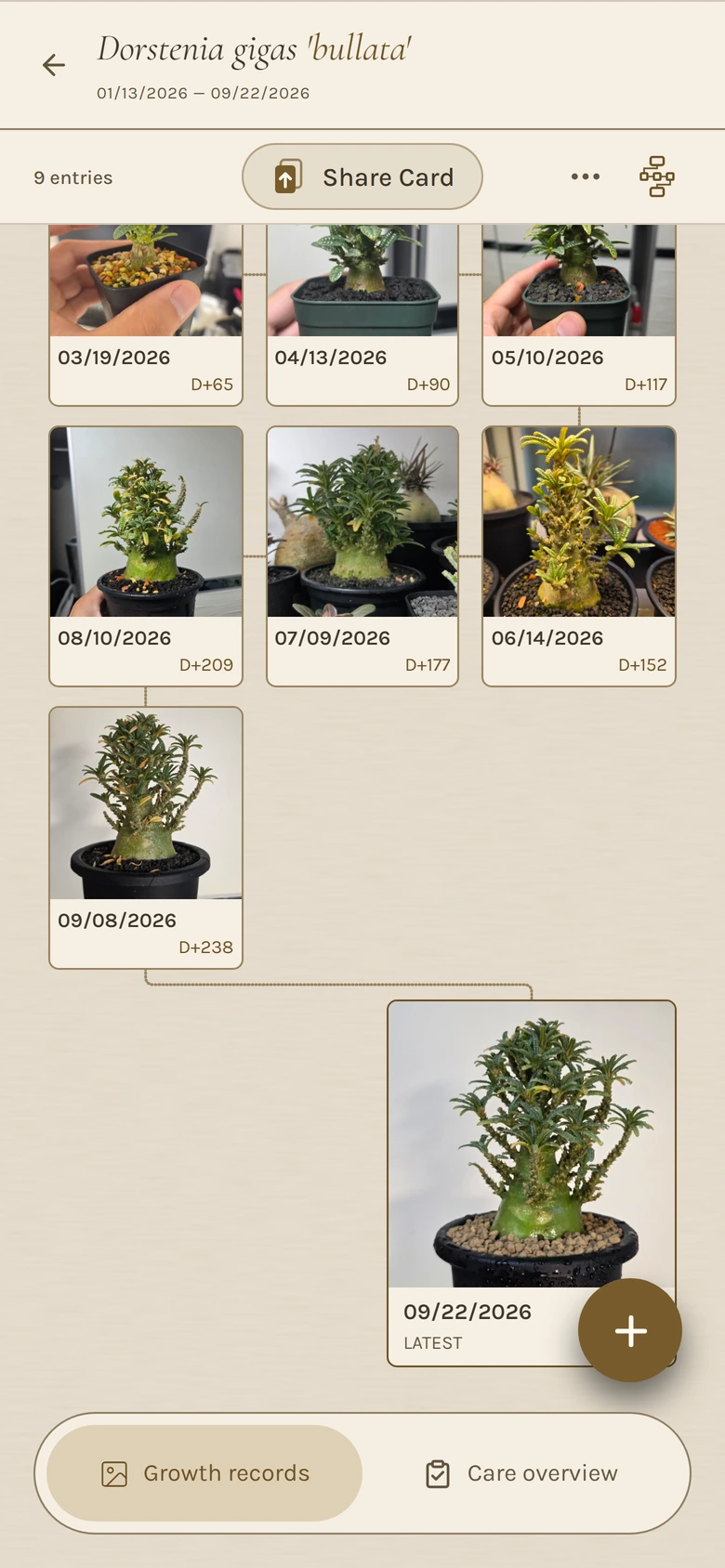
03A GROWING COLLECTION
First and last dates and D+ labels show the passing time.
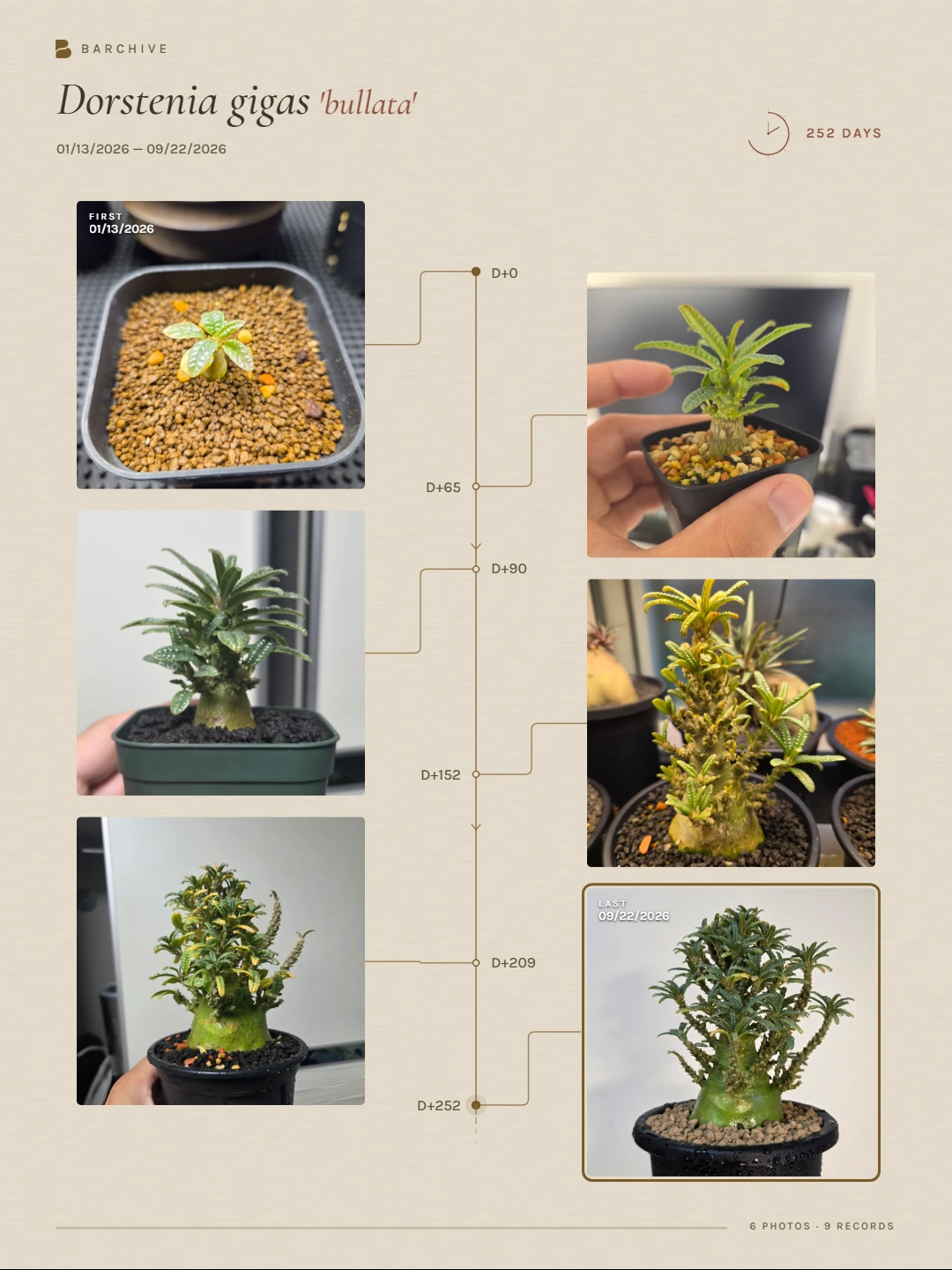
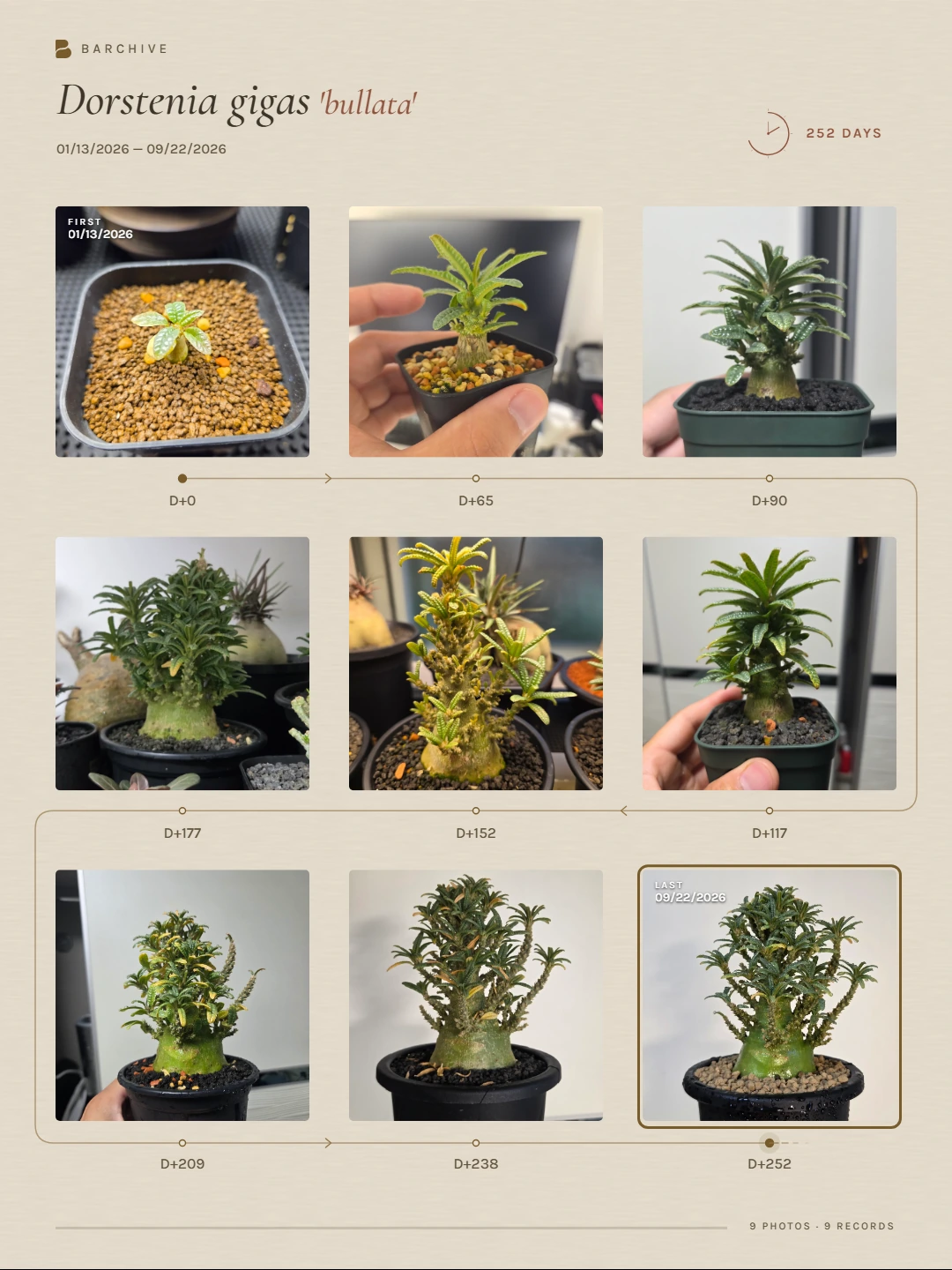
04THE DAYS IN BETWEEN
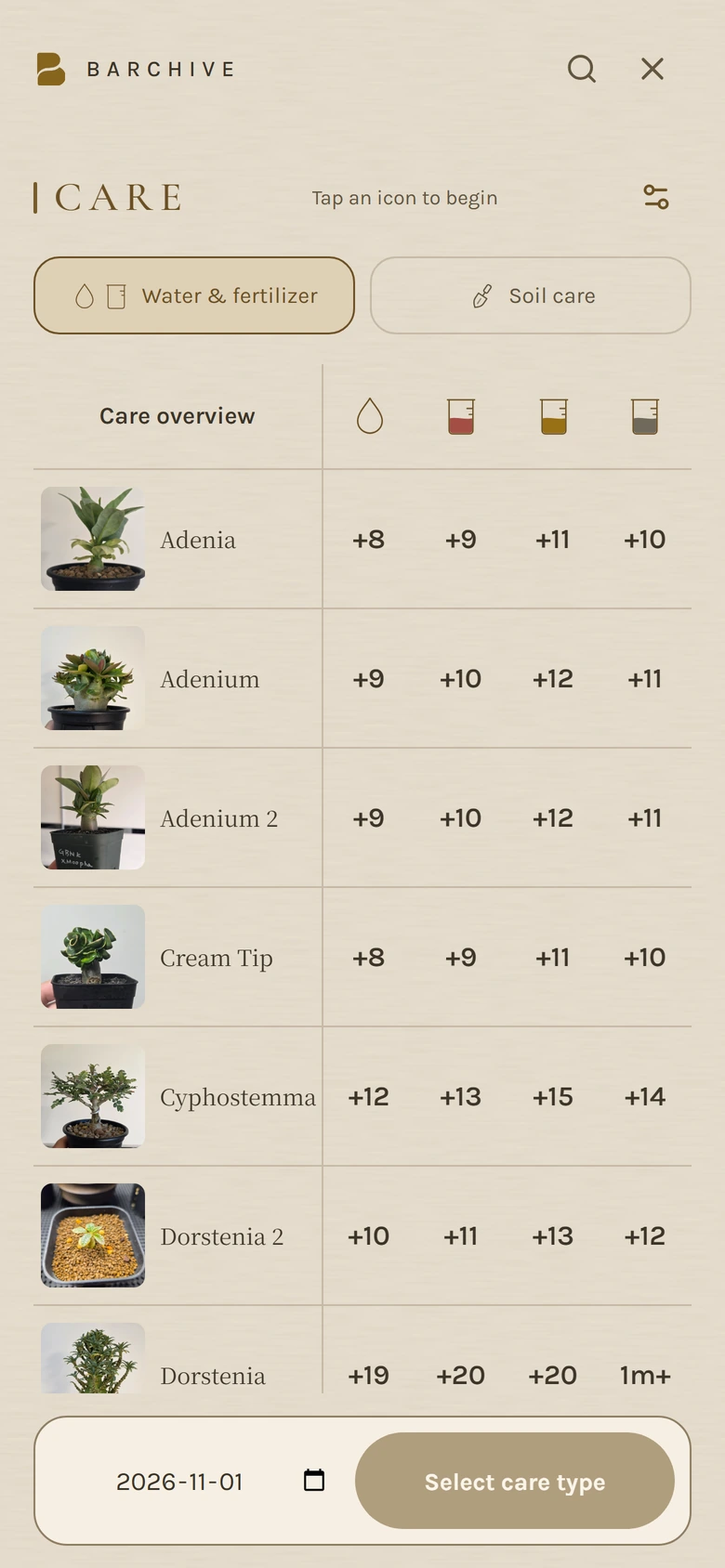
When did you last water? Which fertilizer or potting mix did you use? See care across your plants, then open an individual plant’s history.
Select several plants to record care together and check their latest care dates.
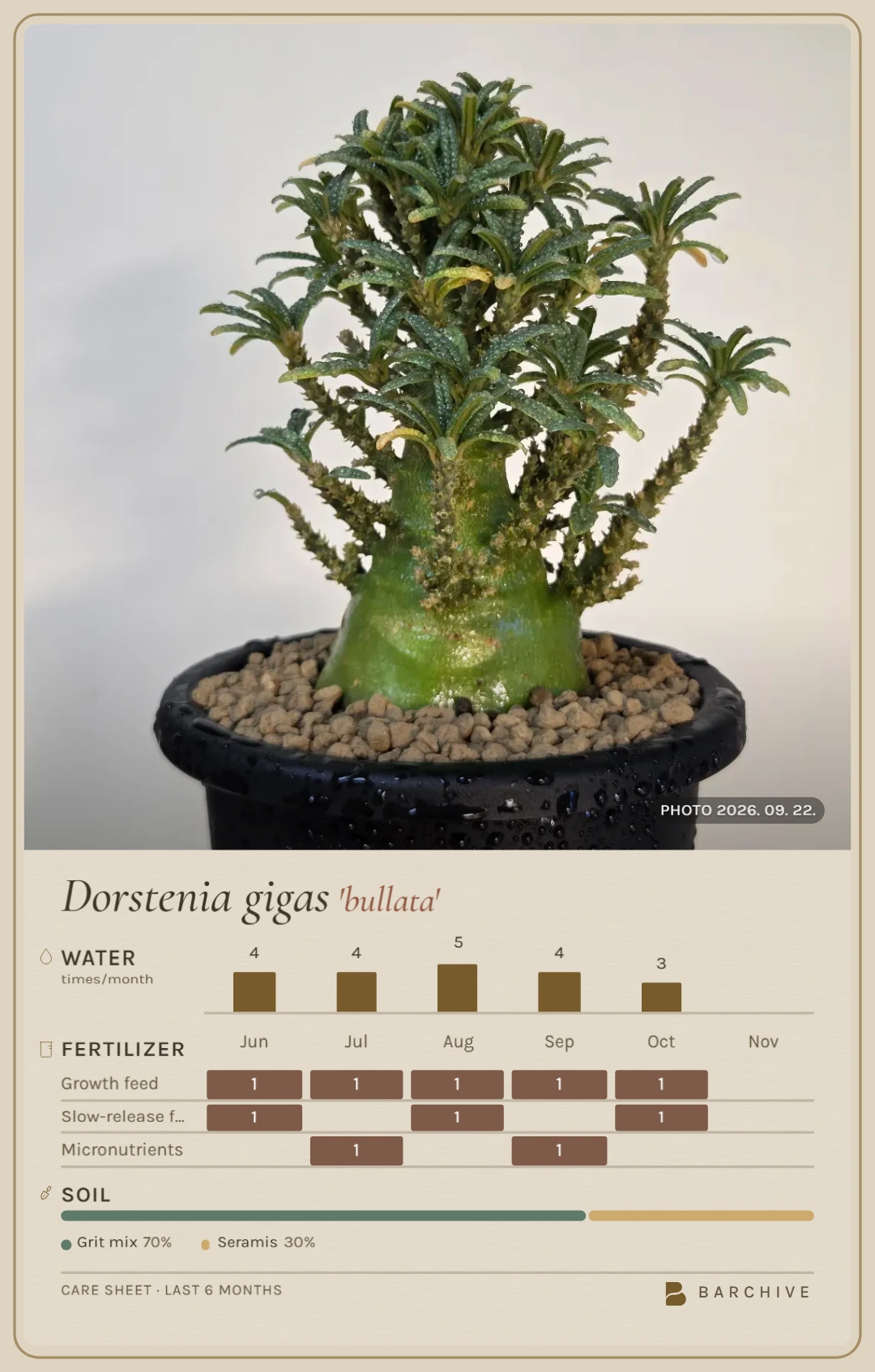
Save mix proportions and keep a history of the mixes and repotting dates for each plant.
Bring a plant photo and its watering, fertilizer and potting-mix records together in a Care Sheet.
05MADE TO BE SHARED
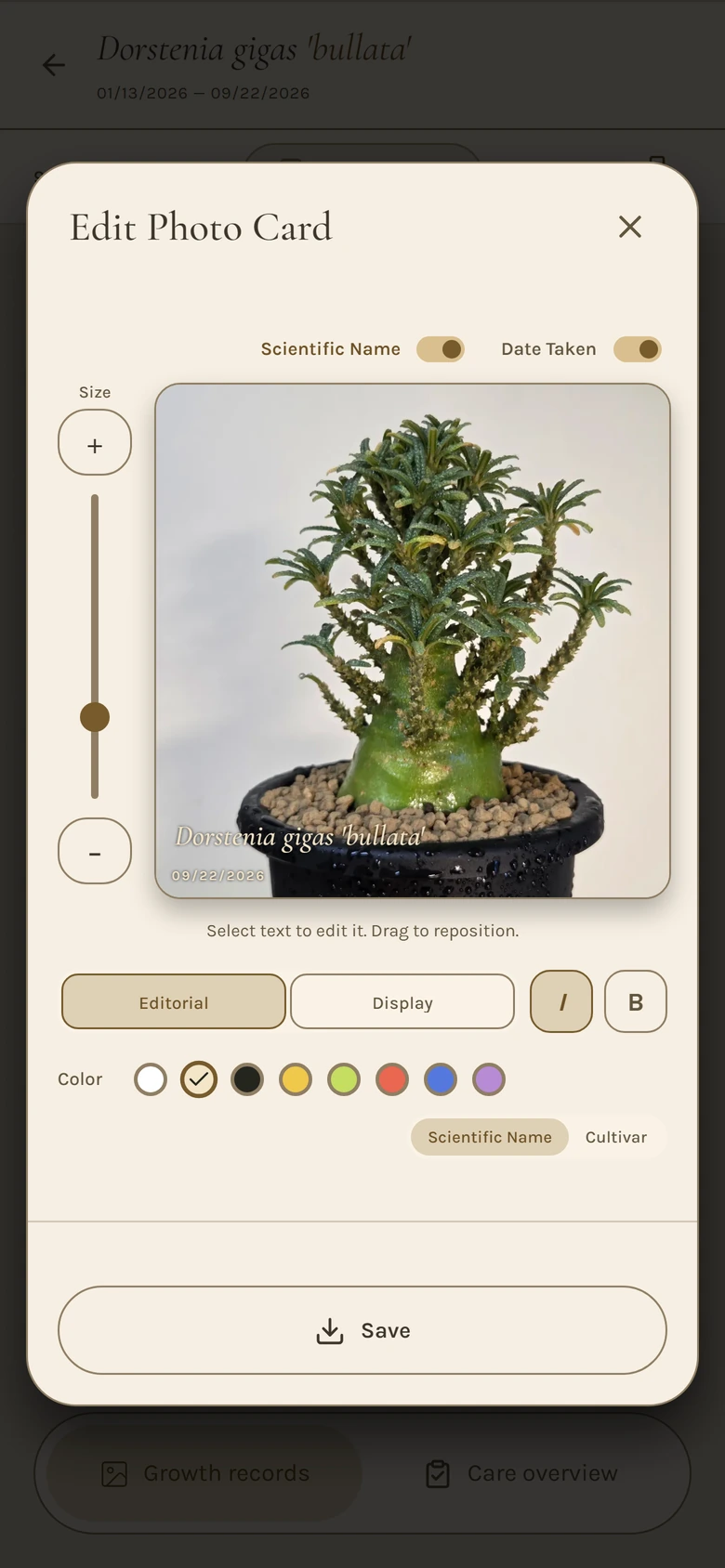
Add a plant name and capture date in Snapshot, or tell more of the story with Before & After, Timeline and Care Sheet. Save the finished image or share it.
All four share cards are available on the free plan.
On Android, free users may need to watch an ad to save or share Before & After, Timeline and Care Sheet cards. PRO removes ads.
06ROOM FOR YOUR RECORDS
Start for free. Choose PRO when you want cloud backup and automatic sync across devices.
BARCHIVE FREE
BARCHIVE PRO
Free records stay on this device. PRO adds cloud backup and sync.
Compare plans and prices07FOUR ATMOSPHERES
Deep Archive, warm Cocoa, calm Paper and crisp Gallery. Choose the colors and textures you like in the app and on your cards.
08MAKE IT YOURS
Add a plant, keep a photo journal and make a card to share. Our guides walk you through the real screens.
START YOUR ARCHIVE
Use the Android app or open the web app.
Keep your journal wherever it suits you.
On iPhone, use Add to Home Screen in Safari. On a computer, use your browser’s install menu.